Find rooms without searching
See meeting rooms, focus rooms and ad hoc rooms on the floor plan.

BLDNG.app
In Microsoft TeamsWith BLDNG.app you can see which meeting rooms and focus rooms are free, where they are and how many people they fit. Find a quiet spot for a phone call, or book a meeting room for your next team meeting. It's all in Microsoft Teams.
On PC, Mac and mobile. In an environment you already know.
Example from the product
Green shows free rooms and red shows occupied rooms.
The floor overview on the right shows how many rooms are free on each floor.
See meeting rooms, focus rooms and ad hoc rooms on the floor plan.
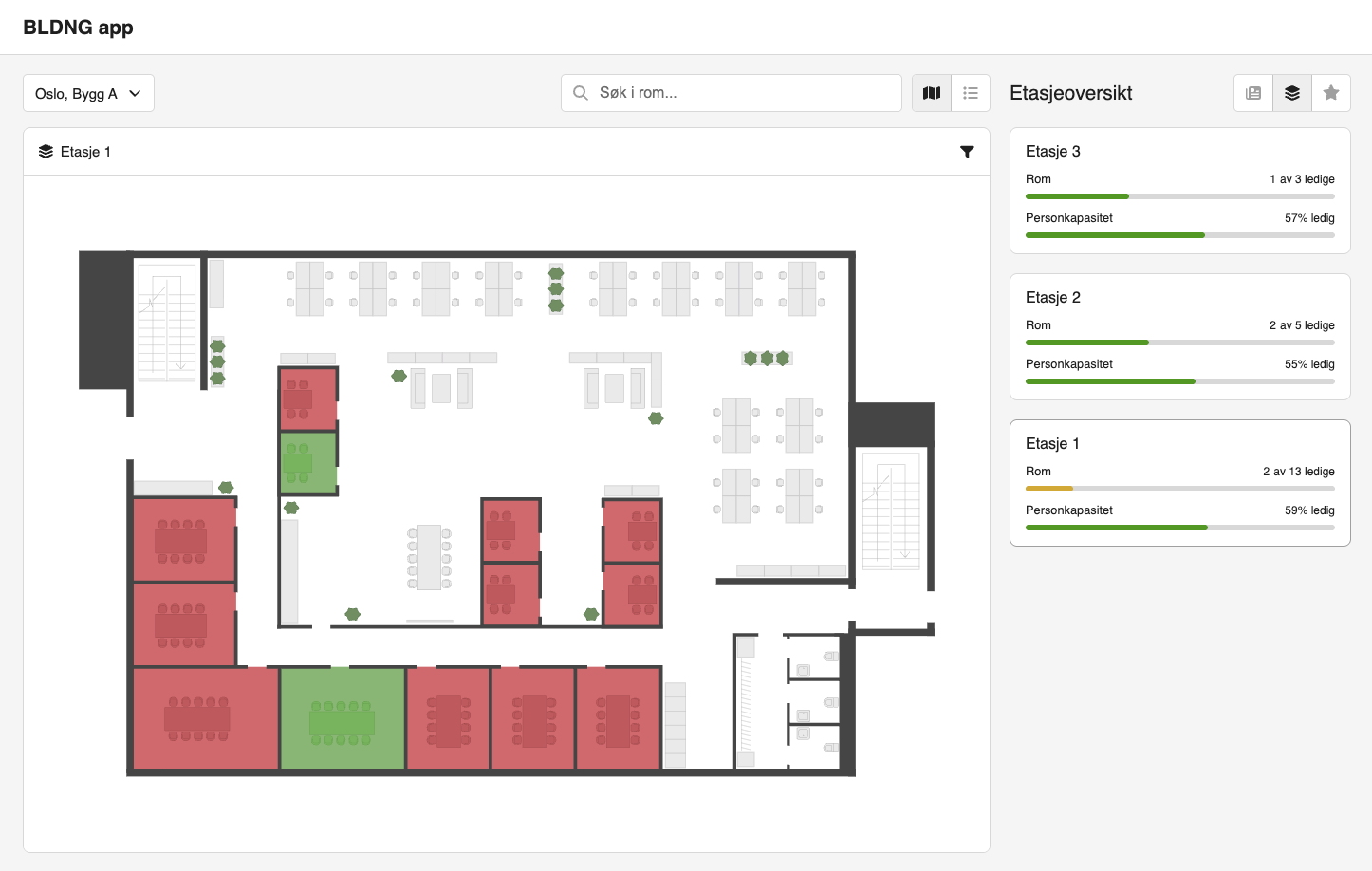
Get up-to-date status from sensors and calendars.
Reserve meeting rooms in the app, connected to Microsoft 365.
From need to free room
A quick meeting now, or a planned meeting tomorrow?
Get the overview before you choose.
Click the views to explore the app ↓
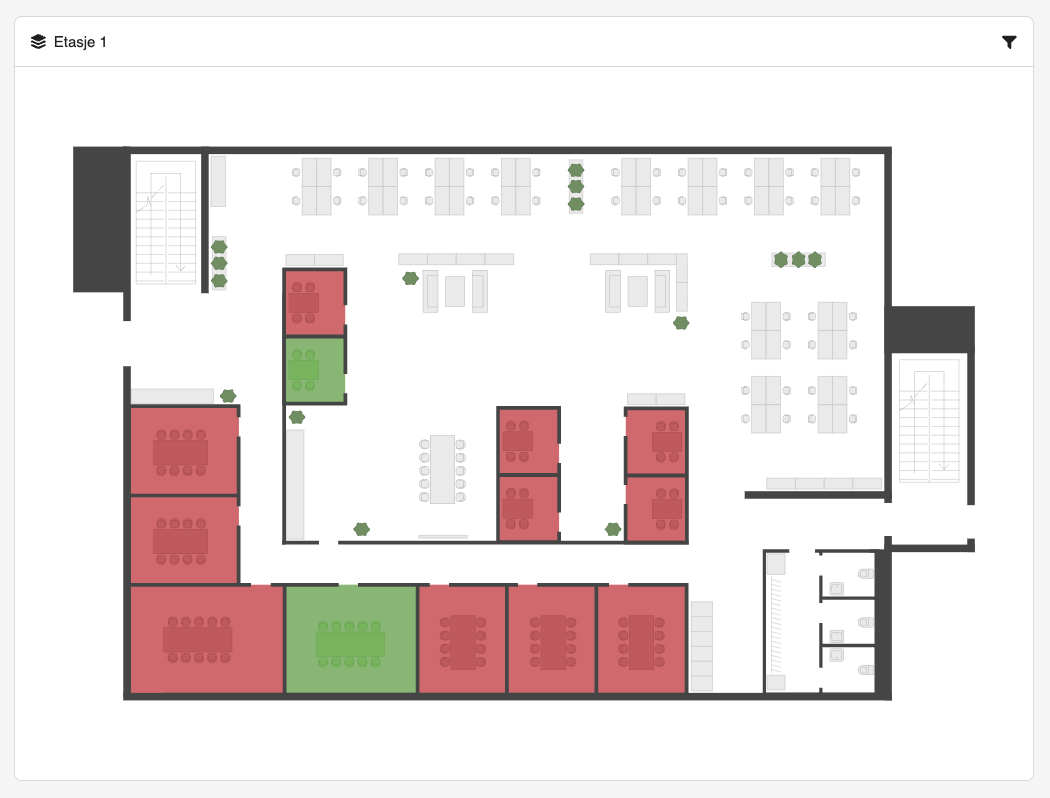
Find your way
The floor plan makes it easy to find your way. See which meeting rooms, focus rooms and ad hoc rooms are available before you go there.
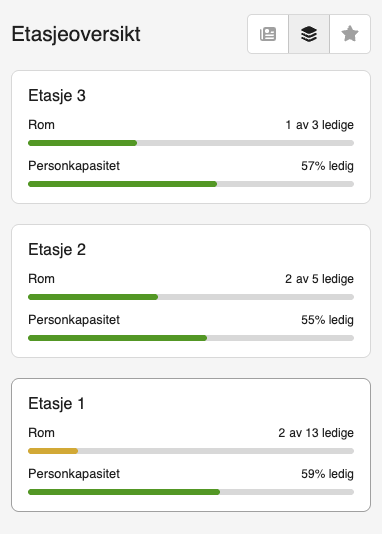
Get the overview
See the number of free rooms and available people capacity per floor. You quickly see where there are alternatives.
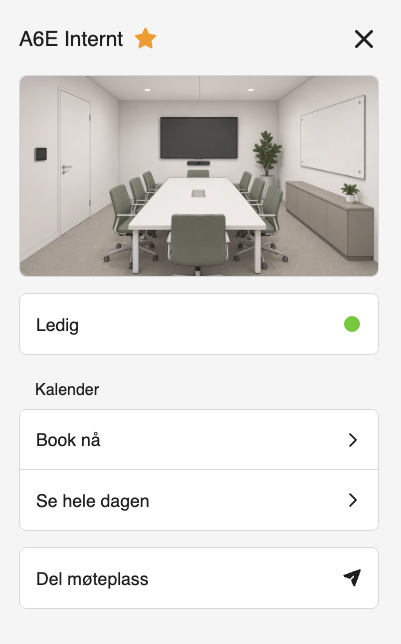
Book a room
Open the room to see a photo and its status. Book a suitable meeting room directly, or open the calendar to find a free slot later in the day.
Real screenshots from the product. The views are examples, not a live demo. Content and features are adapted to your setup.
More than a calendar
A meeting room can sit empty even when it's booked. BLDNG.app combines calendar data with information about actual use, so employees get a better overview of which rooms and work areas are available. For the organization, the combination also helps spot bookings that are never used.
When is the room booked, and when is it available to book?
Is the room or work area in use right now?
The status shown in the app depends on the calendar integration and which data sources are available in the building.
In Microsoft Teams
BLDNG.app is available in Microsoft Teams on PC, Mac and mobile. Employees open the app where they already work with colleagues and plan meetings. They can check what's free from their PC before leaving their desk, or use their phone to find their way around the office.
More of the workday in one place
Tailor the app to your organization
Make useful information easy to find
Share internal news, today's lunch menu and information about local services. You can also add practical information about buses and trains, so employees have what they need before heading to or from the office.
Add photos of the meeting rooms so employees can see what a room looks like before they book. You can also collect links to SharePoint, facility management systems and other internal resources you use every day.
When the meeting room screen fails or equipment is missing, employees can report it in the app. The app can connect to your organization's issue tracking system, so reports land where you already follow up on them.
How to get started
We tailor the solution to your office and what your employees need to know, with relevant data sources and Microsoft 365 integration.
Which buildings, floors and resources should employees be able to find? We agree on the content and features you want.
Floor plans, rooms, calendars and relevant usage data are set up for your organization.
Employees get one place for room booking, availability and useful information.
Want to show the office overview on a shared screen too?
See BLDNG.ScreenSee the app in action
We'll show you how employees find and book rooms in Teams, and look at what would be useful to bring together in the app for you.